
Green Monster is an All-In-One Build which is located within The Crew repository. It’s packed with a lot of reliable add-ons like FenLiteAM, Umbrella, POV, Homelander, and many more. Using a premium service like Real-Debrid or Premiumize is recommended for best experience.
Green Monster can be installed on any device that runs Kodi like PCs, Fire Stick, Android/Google TV device, tablet, and more.
Green Monster Kodi Build Installation Steps
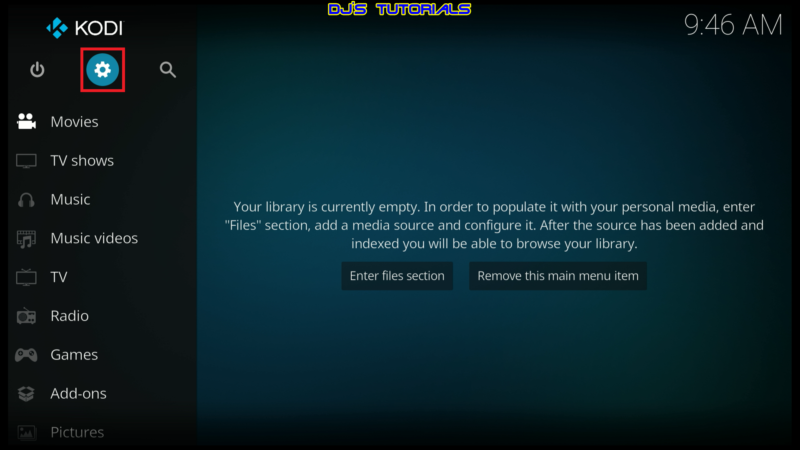
- Click on the settings icon


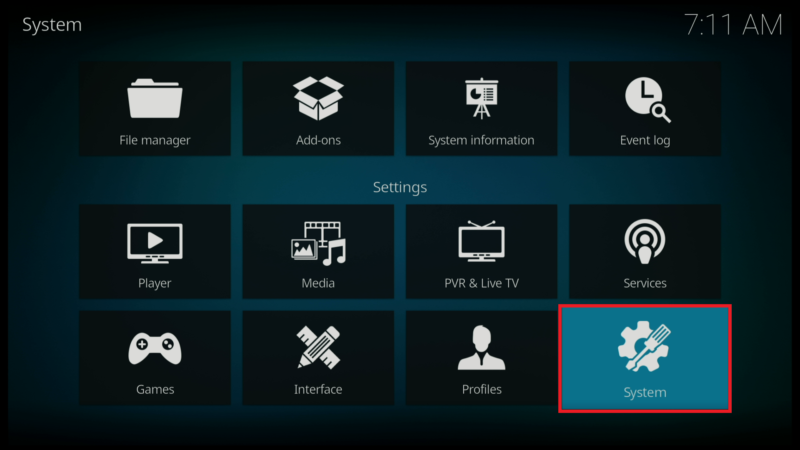
- Click on System.
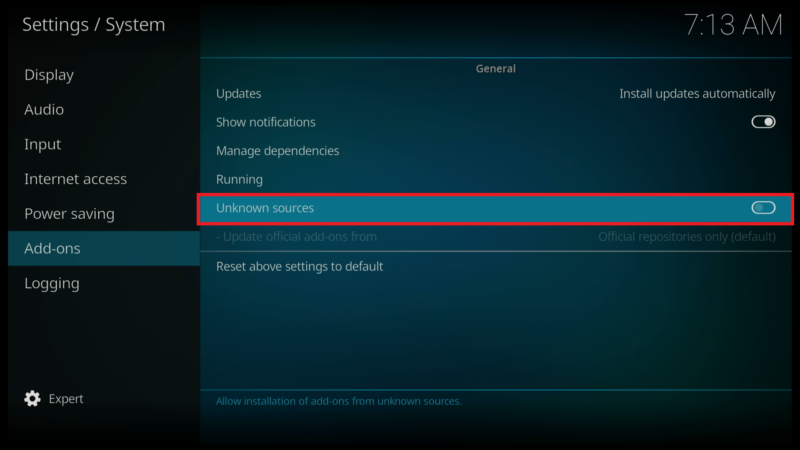
- Scroll down to the Add-ons menu and turn on Unknown sources if not already on.
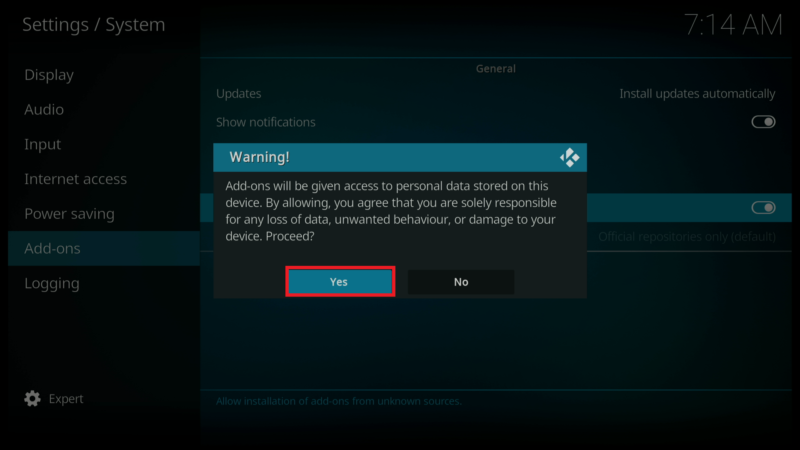
- Click on Yes after you read the Warning message.
- Click back on your remote to go back to the System page.
- Select File Manager.
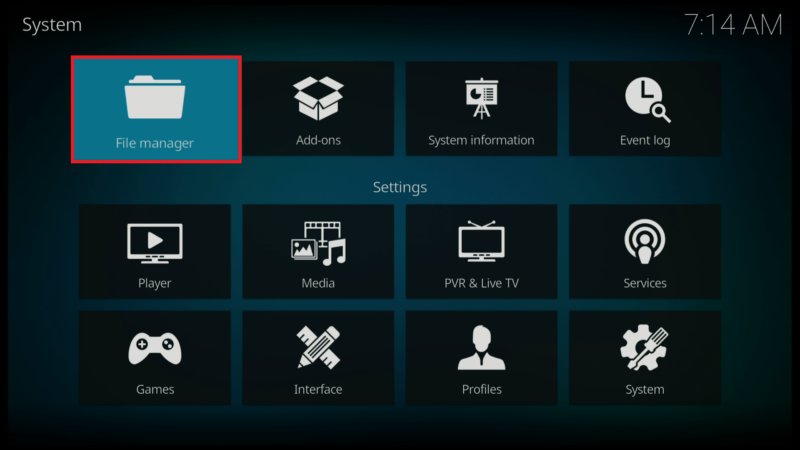
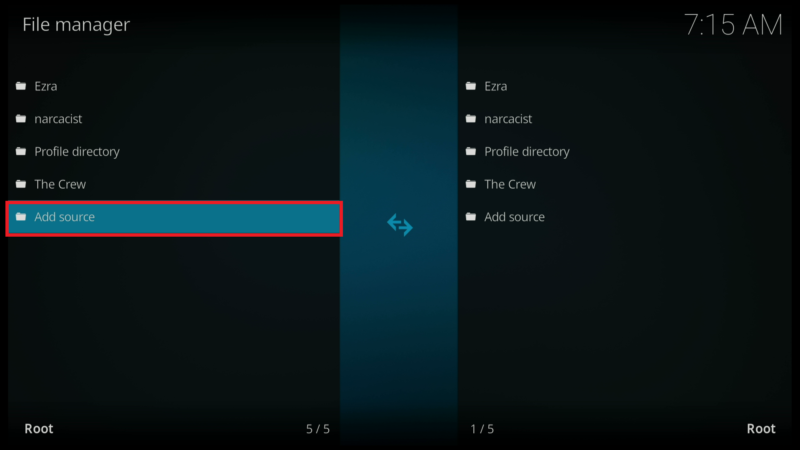
- Click on Add source.
- Click on <None>.
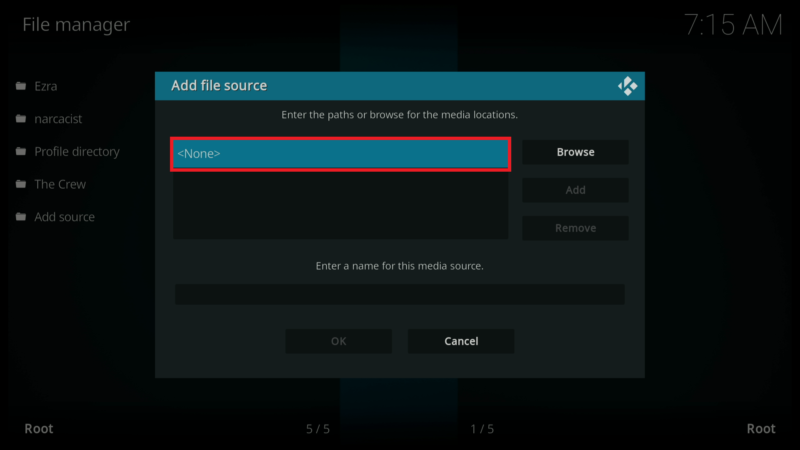
- Enter the following URL exactly how it is shown here – https://team-crew.github.io and then click OK

- Click on the box under the source that you just entered and type in a name for this source.
- Type “crew” or any other name you would like to identify this source as and click OK.

- Click the back button on your remote until you are back on the System screen. Then click on Add-ons.

- Click on Install from zip file.

- Select “crew” or whatever you named the media source in the previous step.

- Click on the zip file URL – repository.thecrew-x.x.x.zip

- Wait for the “The Crew Repo Add-on installed” message to appear.

- Click on Install from repository.

- Click on The Crew Repo.

- Click on Program add-ons.

- Select THE CREW WIZARD

- Click on Install

- You will see the THE CREW WIZARD Add-on installed message

- Click on Dismiss

- Click on Continue

- Click on Build Menu

- Scroll down and find Green Monster 21 (v1.x)

- Click on Fresh Install

- Click on Continue

- Wait for the build to download and install

- Kodi will force close after installation is complete. Relaunch Kodi and enjoy the Green Monster build.


